The level grows with the student
Each text is generated for the student's current reading level. Read it fluently with good comprehension a few times in a row, and the trainer moves the student up — one step at a time, never a jump.
Fresh Thai texts at the student's level, natural audio at several speeds, and the words their teacher wants them to see — coming back, text after text. Between lessons, on their phone.
Already have an account? Sign in to the trainer
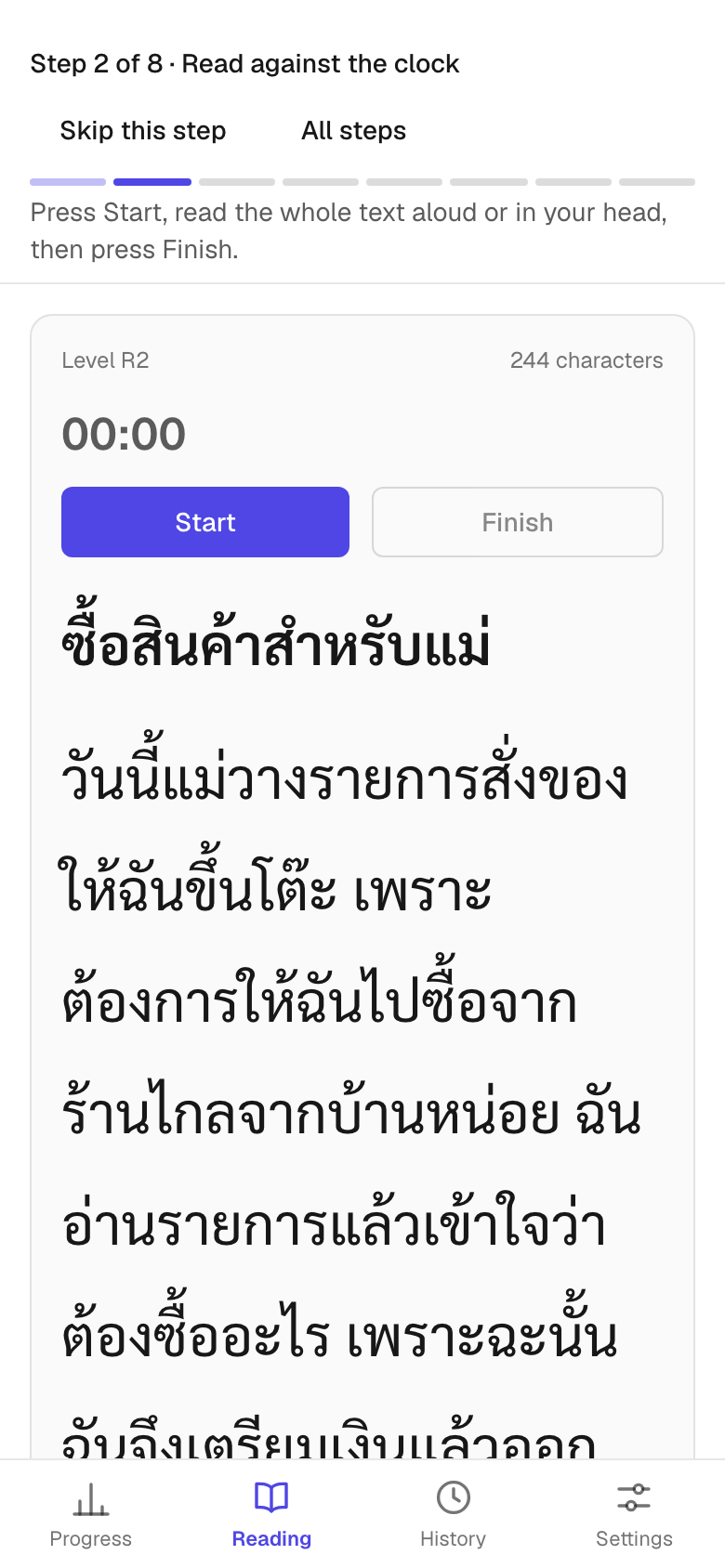
Reading fluency comes from reading a lot — at the right level, with the right words. The trainer takes care of the “right” part.
Each text is generated for the student's current reading level. Read it fluently with good comprehension a few times in a row, and the trainer moves the student up — one step at a time, never a jump.
Add target words from your lessons; words the student stumbled on are added too. They keep reappearing in new texts until they are read at a glance.
วันนี้ตอนเช้าฉันไปซื้อของที่ร้านใกล้บ้าน
Every text comes with natural-sounding Thai audio at reading speed and slower. Listen to the whole text, or only the sentence that tripped the student up.
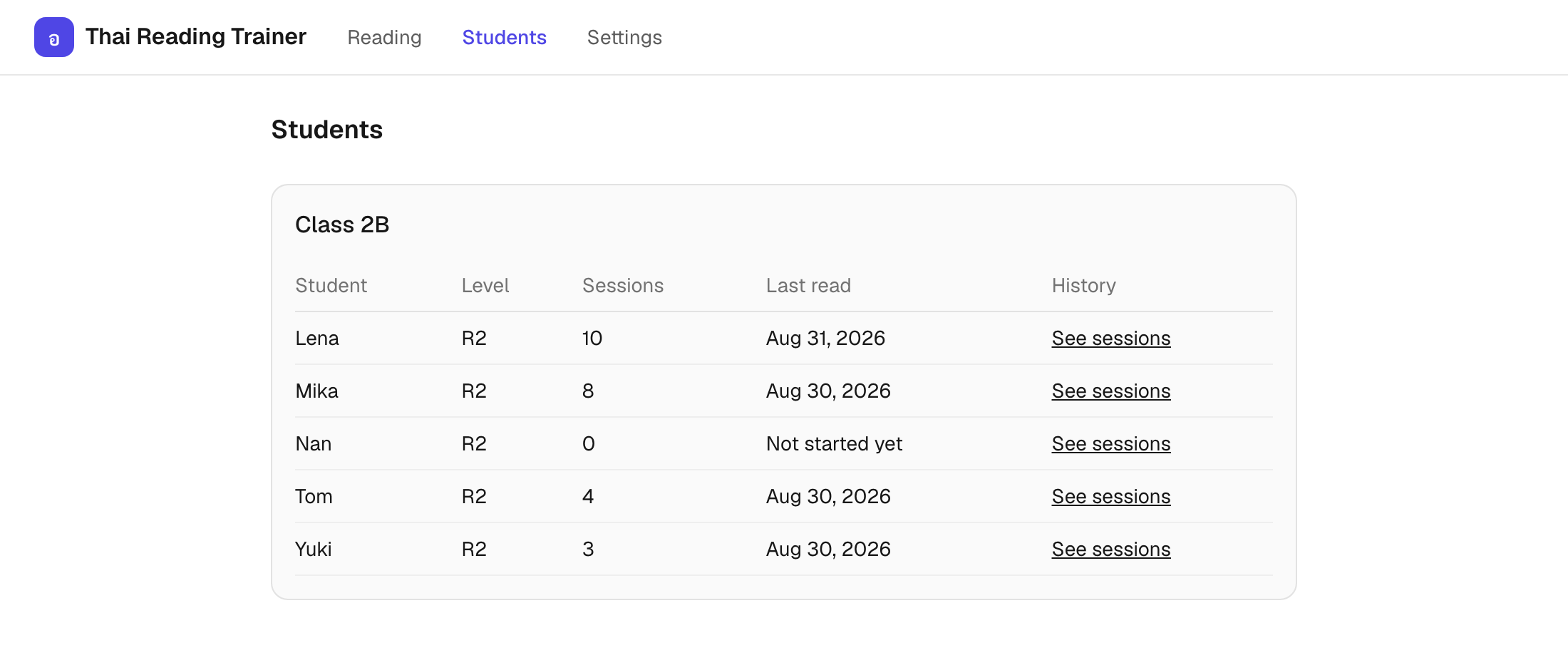
Students practise between lessons. You see what happened — without collecting anything by hand.
Create student accounts in the panel and hand the password out in class. No sign-up forms, no inboxes, no waiting for a confirmation link.
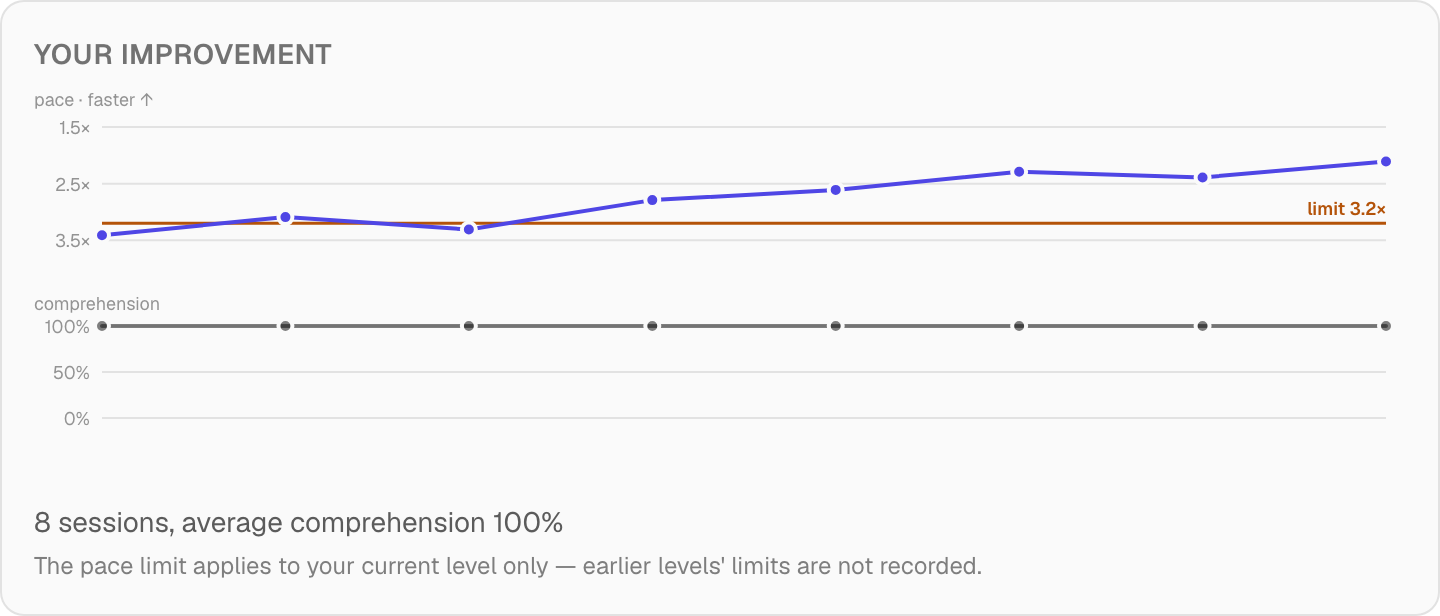
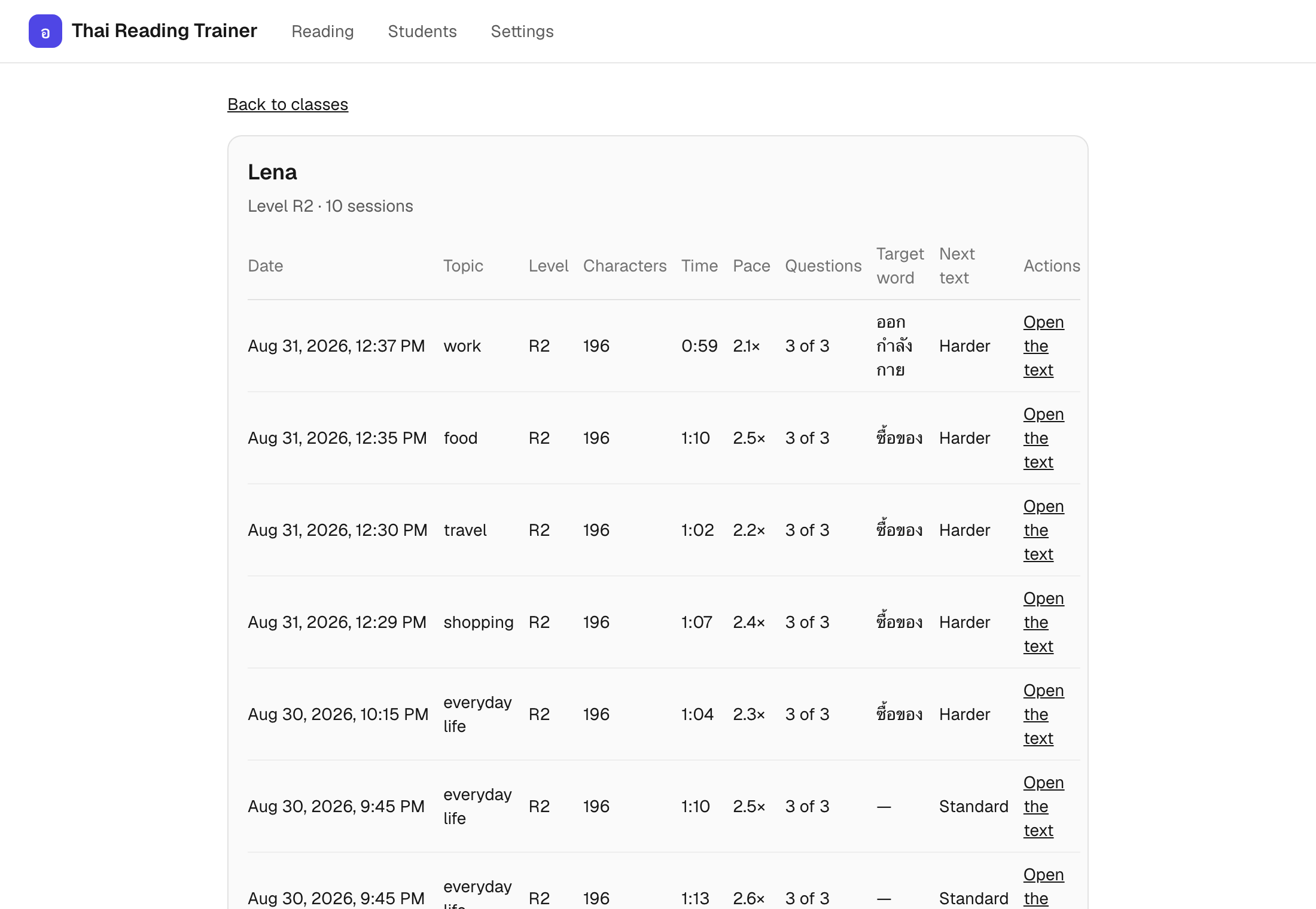
Reading pace and comprehension session by session, and the list of texts each student has read — open any of them.
Set target words for a student; they return in the texts that student reads between lessons.
Teachers can mark a text as verified — or reject it, and it leaves the rotation for good.
The trainer works for self-learners too. The beta is free while we test, and signing up takes a beta code — write to contact@aanwai.com and we will send you one.
Thai Reading Trainer is in pilot with a language school in Thailand. It is a free beta while we test — no card, no commitment. School accounts are set up by us; self-learners sign up with a beta code we hand out.
Each text is generated for the student's level and topic, then checked in a second pass before it reaches the student. Teachers can verify or reject any text; rejected texts leave the rotation.
It is synthesized Thai speech from a current neural voice — natural rhythm and tones, at reading speed and slower. It is not a recording of a person.
It doesn't teach the alphabet from zero — that part stays with the teacher. But it starts low: if a student can sound out short, simple sentences, even slowly, texts begin at that level and grow with them. It is reading practice, not a first course.
A phone or laptop with a browser, and an account from their school. The trainer installs to the home screen like an app — nothing to download from a store.
Pilot schools hear about pricing first, and nothing changes for them without notice.